The wrong MAM rarely fails because it cannot store video. It fails because it fits the demo better than the daily operation.
A polished interface and a long feature list can hide the questions that matter: Can the platform move the right version to the right partner on time? Can operations automate repeatable work without losing control? Can finance understand the cost per title, customer or delivery? And can the team adapt the system when the business changes?
This guide turns those questions into a practical framework for choosing media asset management software for broadcast, distribution, sports, production and enterprise video workflows.
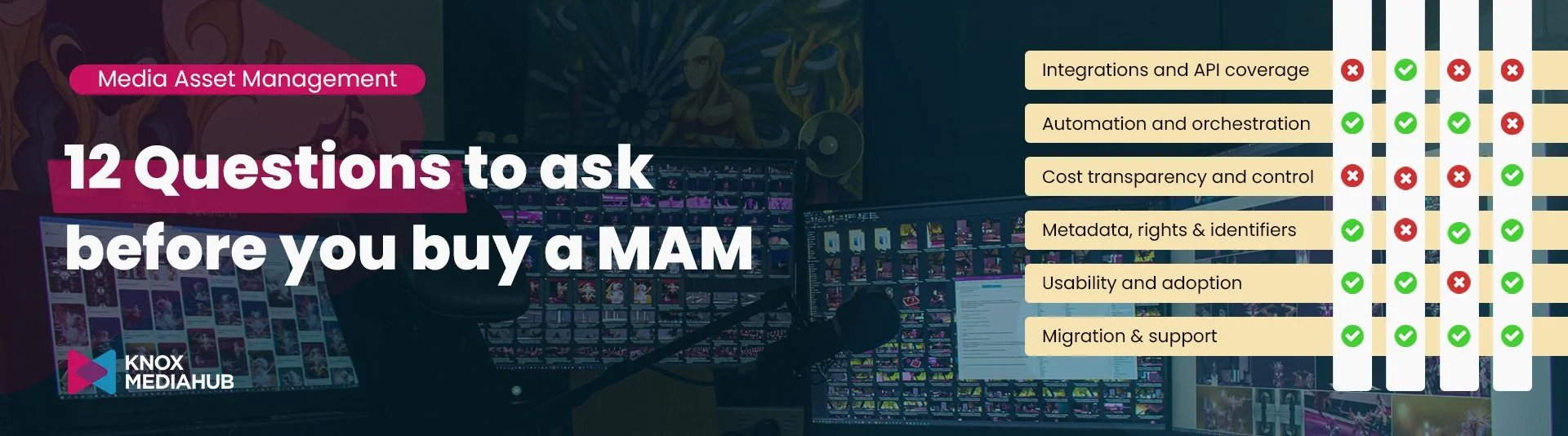
TL;DR
Start with your own workflow, asset relationships, users, partners and delivery endpoints - not the vendor feature grid.
Test metadata, automation, security, integrations, performance and reporting with your own representative content.
Model the total cost, including storage, compute, transfers, transcodes, support, integrations and exit - not only the licence.
Give operations, engineering, security and finance a weighted scorecard, then make the vendor prove the highest-risk requirements.
Prefer a platform that can evolve with new formats, destinations and business models without turning every change into a development project.
🤔 What should you look for in media asset management software?
The best media asset management software for your organisation is the platform that fits the full operating model: ingest, cataloguing, metadata, rights, review, transformation, automation, collaboration, distribution, security and reporting. It should reduce handoffs and manual work while remaining open enough to connect with specialist tools.
That broader view matters because a MAM is not only a repository. AWS describes MAM as a key integration point for services such as editing, transcoding, scheduling and distribution. A buyer should therefore judge the system by how reliably media moves through the business, not by how attractive the library looks in isolation.
🔀 Before comparing MAM vendors, map the workflow
Do this before any demo. Choose two or three representative workflows: a routine delivery, a high-volume peak and an exception that normally needs human judgement. Document:
Where content arrives from, in which formats and with which metadata.
How masters, edits, language versions, subtitles, artwork and proxies relate to one another.
Who searches, reviews, approves, transforms and delivers each asset.
Which systems provide rights, scheduling, editorial, QC or commercial data.
Which destinations, service levels and security rules apply.
Monthly and peak volumes for ingest, storage, processing and delivery.
Where work currently stalls, repeats or disappears into email and spreadsheets.
If a workflow cannot be explained, it cannot be evaluated. Buying software before mapping the operation is a reliable way to automate confusion.
12 questions to ask before choosing a MAM system
Does it solve your actual media workflow?
A DAM designed for campaign images and documents may be excellent software and still be the wrong system for broadcast masters, timed text, audio tracks and multi-platform delivery. Ask the vendor to show how the system performs with your asset types and your sequence of work, including exceptions.
Use a test set with a master, proxy, trailer, artwork, subtitle file, alternate audio and at least one territory or rights restriction. The system should preserve the relationships between them and make the next action obvious.
Can it manage, transform and deliver media without unnecessary tools?
Many platforms catalog assets but rely on separate products for review, transcoding, packaging, accelerated transfer or partner delivery. Integrations are valuable; mandatory tool sprawl is not.
Draw the proposed architecture. For each handoff, ask who owns monitoring, support, data movement and cost. A low licence fee can become expensive if every delivery needs another contract, another login and another failure queue.
How does it handle metadata, rights and identifiers?
Search is the visible benefit of metadata. Automation, rights control and reliable distribution are the larger prize. The platform should support configurable schemas, controlled vocabularies, inheritance, validation, bulk updates, version relationships and complete change history.
Ask how internal and industry identifiers travel through the workflow. Your MAM does not need to force one identifier, but it should preserve and map the identifiers the business depends on.
Can teams automate and orchestrate workflows safely and autonomously?
A modern MAM should do more than launch a transcode. Look for event-driven workflows, reusable templates, conditional logic, human approvals, retries, timeouts, exception queues and clear job history.
Then test who can change an automation and how changes are governed. No-code tools can put useful control in the hands of operations, but only when permissions, versioning, testing and rollback are equally clear. A workflow that works only while its original developer is available is not resilient orchestration.
What deployment and storage model are you really buying?
Cloud-native, hosted, cloud-connected and cloud-washed are not synonyms. Ask where the application runs, where assets remain, who owns the storage account, which regions are available and whether the platform can work across cloud, on-premises and archive locations.
The right answer may be cloud, hybrid or a staged transition. What matters is that the model supports performance, data residency, resilience, seasonality and commercial control without creating another opaque dependency.
How open is the integration layer?
A MAM sits in the middle of the supply chain. It should connect cleanly to storage, editing, QC, AI, rights, scheduling, subtitles, playout, streaming and delivery services.
Ask for documented APIs, webhooks, event triggers and authentication methods. Review existing integrations, but also ask how long a new integration usually takes and who can build it. An API-first claim is useful only when the API covers the actions your workflow actually needs.
Are security controls designed for real collaboration?
Media teams need to share valuable content with employees, freelancers, buyers, localisation partners and platforms. Security must be granular enough to support that collaboration, not simply block it.
At minimum, evaluate SSO, MFA, role and group permissions, asset-level restrictions, expiring links, watermarking, encryption, audit logs and the ability to revoke access quickly.
Can it perform under real media conditions?
A demo with three short clips does not prove behaviour with high-resolution masters, many concurrent users or a deadline-driven delivery peak. Test ingest, proxy generation, search, preview, transcode and delivery with representative file sizes and formats.
Measure user experience across relevant locations. Ask how the platform scales workers, prioritises queues and reports service health. The answer should include numbers from the test, not adjectives from the brochure.
What is the total cost of ownership?
Model the complete workflow. Include licence or subscription fees, users, storage tiers, processing, AI calls, transcodes, data transfer, accelerated delivery, implementation, support, custom development, minimum commitments and exit costs.
Usage-based pricing can suit a seasonal media business, provided the drivers are visible and controllable. Ask the vendor to price a quiet month, a normal month and a peak event. Then identify which actions create variable cost and whether budgets or alerts can prevent surprises.
Does reporting support operational and financial decisions?
A job history is not the same as business intelligence. Useful reporting should connect technical activity with titles, customers, departments, workflows and outcomes.
Look for throughput, turnaround time, failure rate, queue time, storage, processing and delivery cost by a meaningful business dimension. Finance should be able to see who or what drove the cost, and operations should be able to act on it.
Will non-technical teams actually use it?
Adoption is an operational requirement. Ask an operator, producer or content executive to complete common tasks during the evaluation: find the approved version, review it, create a clip, add metadata and deliver it securely.
Count the steps. Note where training is needed. Check whether the interface changes by role, whether terminology can match the business and whether teams can work from a browser without a specialist at every turn. Powerful software that people avoid becomes expensive shelfware with a login screen.
What happens during migration, support and exit?
Ask who owns discovery, data cleansing, metadata mapping, transfer, checksum validation, acceptance testing and rollback. A credible plan should migrate in controlled waves and keep the source available until the target has passed agreed checks.
Knox Media Hub's five-phase media library migration guide explains why migration should preserve context, relationships, permissions and operational rules, not just files.
Finally, examine the exit before signing the entry. Can you export original assets, proxies, metadata, relationships, audit history and workflow definitions in usable formats? Clear portability is a sign of confidence, not a reason to fear customer churn.
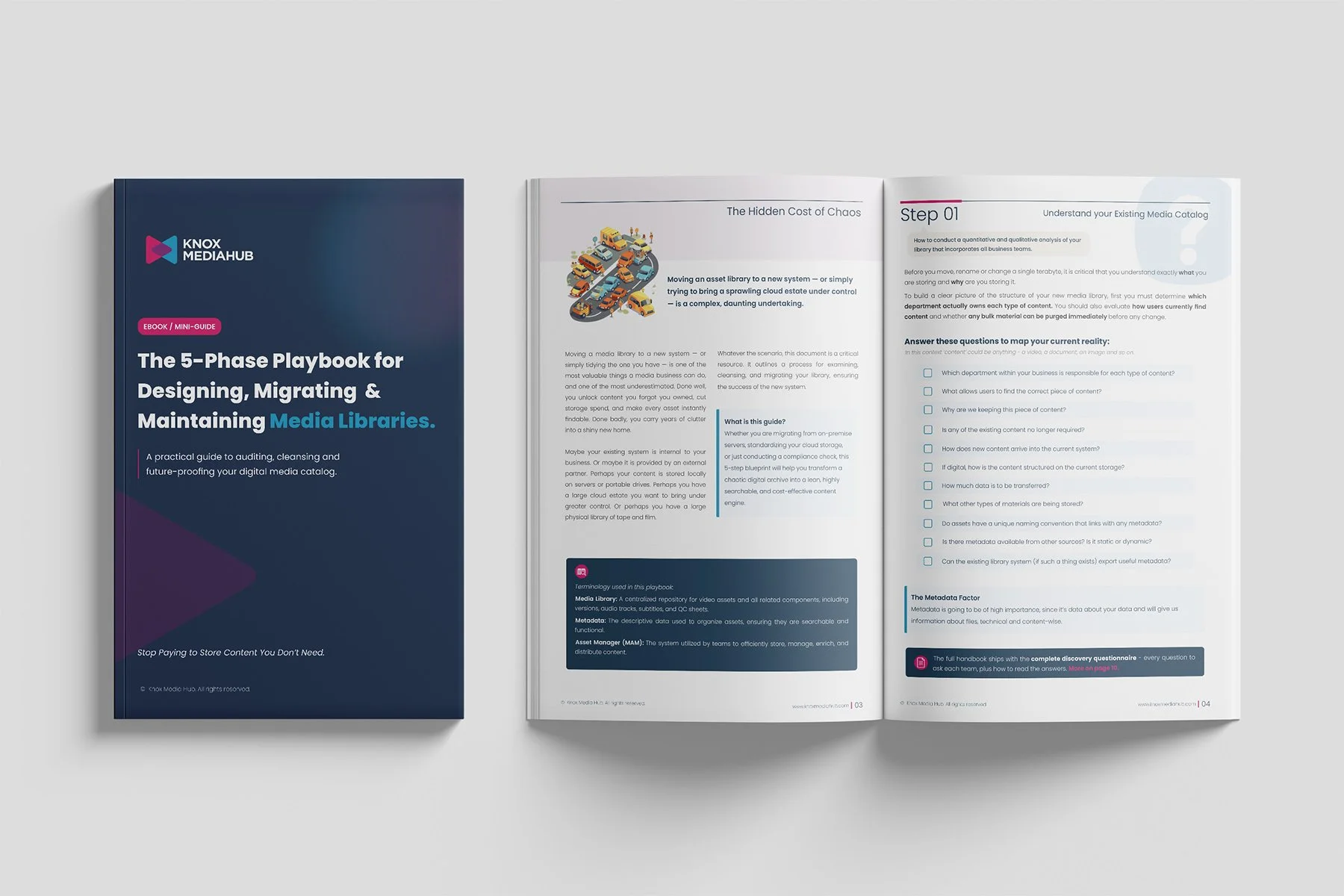
Check the The 5- Phase Playbook for Designing, Migrating & Maintaining Media Libraries
The questions above are the beginning. Knox Media Hub has created a practical, free resource for media managers, operations leaders and content owners who need to audit, cleanse, migrate and maintain a complex media library.
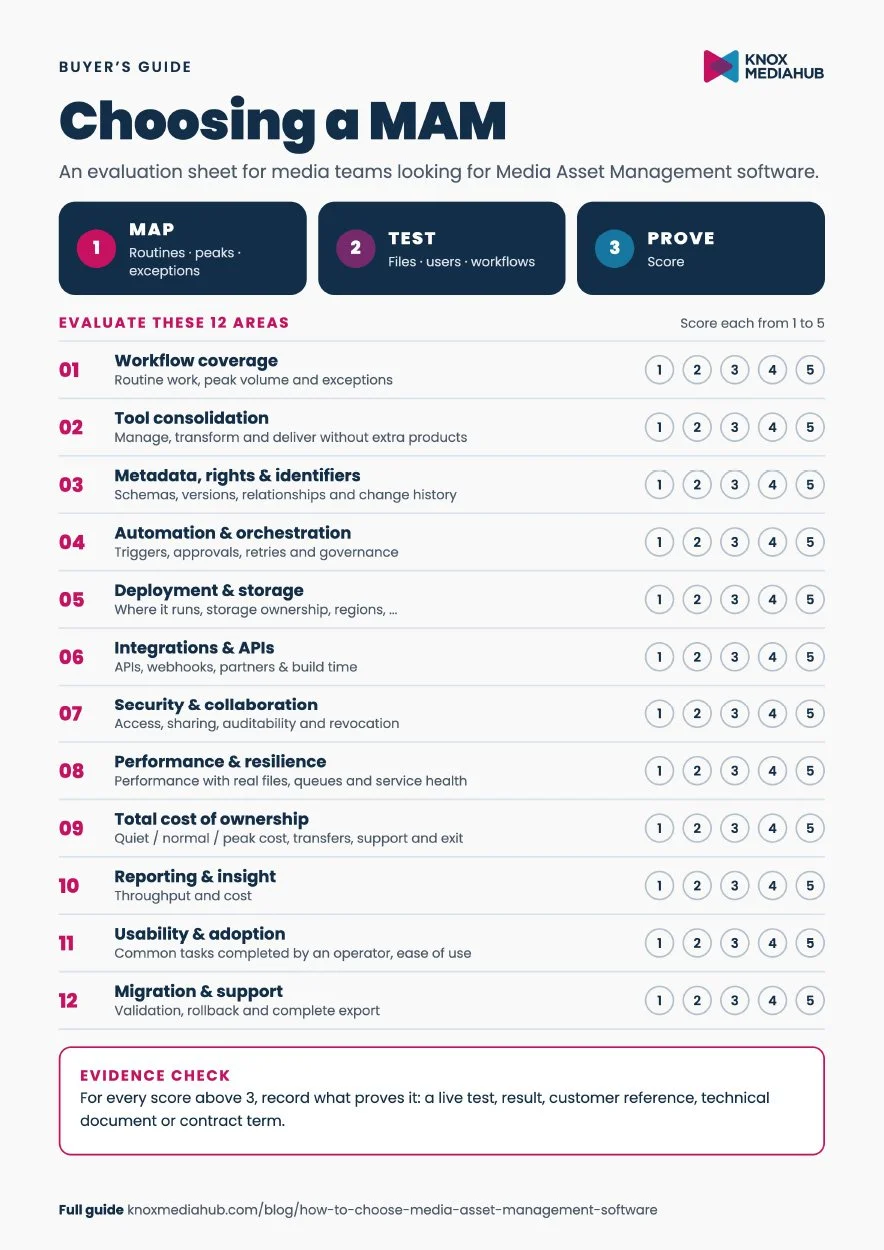
Click to download
A simple MAM evaluation scorecard
Score each area from 1 to 5, then give extra weight to the three requirements that carry the most business risk:
Workflow coverage and exception handling
Metadata, rights and asset relationships
Automation and orchestration
Integrations and API coverage
Security, permissions and auditability
Performance and resilience
Cost transparency and control
Reporting and operational insight
Usability and adoption
Migration, support and data portability
Require evidence for every score above 3: a live demonstration, test result, customer reference, contract term or technical document. A perfect score is unlikely. The purpose is to make the trade-offs visible before they become production issues.
🚩 Red flags when comparing MAM software
The vendor leads with a feature count but cannot map your end-to-end workflow.
Basic delivery, monitoring or metadata changes require additional products or custom development.
The cloud architecture, storage ownership or variable-cost drivers remain vague.
AI looks impressive in a demo but has no clear operational trigger, review step or measurable outcome.
Security is described as a certification list without showing permissions, audit trails and revocation.
The vendor will not run a proof of concept with representative content and users.
Reporting cannot allocate activity and cost to titles, customers, teams or workflows.
Data export covers files but not metadata, relationships, history or workflow definitions.
💬 FAQ
What is the difference between MAM and DAM?
DAM manages a broad range of digital assets. MAM is designed for audiovisual content and the specialist workflows around large media files, time-based metadata, proxies, transcoding, editing and distribution. For a fuller comparison, read MAM, DAM, PAM: what is what?
Is cloud or hybrid MAM better?
Neither is automatically better. Cloud-native MAM is strong for rapid scaling, remote collaboration and usage-based operations. Hybrid models can be valuable when high-resolution content, existing storage or local production tools must remain on-premises. Choose according to workflow, performance, security, cost and transition constraints.
How much does MAM software cost?
There is no useful single figure because cost depends on users, asset volume, storage, processing, transfers, workflows, integrations and support. Compare vendors with the same three scenarios - quiet, normal and peak - and include implementation and exit costs.
How long does MAM implementation take?
A focused SaaS deployment can begin quickly, while a large migration with complex metadata, integrations and governance may take months. The best estimate comes from a discovery phase that separates configuration, integration, data preparation, transfer, validation, training and rollout.
What should a MAM vendor demonstrate?
Ask the vendor to ingest representative content, apply your metadata, find the correct version, trigger a transformation, handle an exception, share or deliver securely, and show the resulting audit and cost data. Include an ordinary user in the session. A buyer should see the work, not only the roadmap.
🏁 Choose the operating model, not the longest feature list
The best media asset management system is the one your operations team can run, your partners can work with, your engineers can integrate and your finance team can understand.
That requires more than storage and search. It requires a clear metadata foundation, reliable automation, secure collaboration, flexible deployment, measurable performance and enough openness to evolve as formats, platforms and business models change.
Schedule a demo today and see how our MAM software can revolutionize your media operations.
Knox Media Hub brings media asset management, workflow orchestration and distribution into a modular cloud-native platform. Explore the platform overview or request a demo built around one of your real workflows.
Want more articles and insights? Subscribe to our newsletter 📥